 |
ros2_control - kilted
|
Loading...
Searching...
No Matches
|
ros2_control - kilted
|
Plugin that applies one or more external wrenches (force + torque) to named MuJoCo bodies for configurable durations. More...
#include <external_wrench_plugin.hpp>
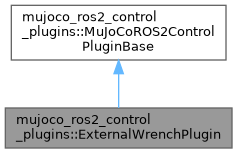
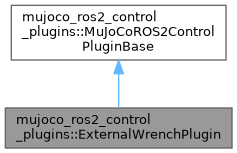
Public Member Functions | |
| bool | init (rclcpp::Node::SharedPtr node, const mjModel *model, mjData *data) override |
| Initialize the plugin. | |
| void | pre_step (mjData *data) override |
| Called immediately before every simulation step on the physics thread. Default does nothing. | |
| void | cleanup () override |
| Cleanup the plugin. | |
| void | publish_markers (visualization_msgs::msg::MarkerArray &markers) const |
Append RViz arrow markers for all currently active wrenches to markers. | |
 Public Member Functions inherited from mujoco_ros2_control_plugins::MuJoCoROS2ControlPluginBase | |
| virtual void | update_read (const mjModel *, mjData *) |
Called once per read() cycle, on the control thread, before the state is handed to ros2_control. Default does nothing. | |
| virtual void | update_write (const mjModel *model, mjData *data) |
Called once per write() cycle, on the control thread, after the hardware interface has staged the controller commands and right before they are sent to the simulation. | |
| virtual void | update (const mjModel *, mjData *) |
Same as update_write(). Default does nothing. | |
| virtual void | on_reset (mjData *) |
| Called after a world reset (ResetWorld service or UI reset). Default does nothing. | |
Plugin that applies one or more external wrenches (force + torque) to named MuJoCo bodies for configurable durations.
Exposes the ROS 2 service ~/apply_wrench of type mujoco_ros2_control_msgs/srv/ApplyExternalWrench.
The service accepts an array of ExternalWrench messages so that multiple wrenches can be submitted atomically in a single call. All wrenches are validated before any are applied: if any body name is unknown the entire request is rejected.
wrench.header.frame_id - Name of the MuJoCo body (must match MJCF body name) wrench.wrench.force - Linear force [N] expressed in the body (link) frame wrench.wrench.torque - Angular moment [N·m] expressed in the body (link) frame application_point - Point of force application in the body (link) frame (relative to the link frame origin, metres). A zero vector applies at the link frame origin. duration - How long the wrench remains active. A zero duration applies it for one simulation step. ramp_down_duration - Optional linear ramp-down window at the end of duration.
success - false if any body name was not found in the model. message - human-readable status / error description.
Multiple concurrent wrenches on different (or the same) bodies are supported. Each wrench is independent and expires at its own end-time.
Forces are written into data->xfrc_applied (Cartesian 6D force/torque per body, world frame, applied at the body's inertial CoM xipos). MuJoCo reads this array during mj_step and both applies the force AND renders it as an arrow in the native viewer when "Perturb forces" is enabled.
The service input is expressed in the body's local frame at an arbitrary application point. The plugin converts this to the world-frame wrench at xipos using the standard wrench-transport formula:
F_world = R * F_body τ_world = R * τ_body τ_at_xipos = τ_world + (p_world − xipos) × F_world
where R = data->xmat (body → world rotation) and p_world = data->xpos + R * application_point_body.
pre_step() writes directly into the live xfrc_applied, which holds its value across steps until written again. So at the start of every pre_step() call, the plugin zeroes the xfrc_applied slots it wrote last cycle before re-accumulating the active wrenches, that will release the expired wrenches.
|
overridevirtual |
Cleanup the plugin.
Implements mujoco_ros2_control_plugins::MuJoCoROS2ControlPluginBase.
|
overridevirtual |
Initialize the plugin.
| node | Shared pointer to the ROS 2 node for accessing parameters |
| model | Pointer to the MuJoCo model |
| data | Pointer to the MuJoCo data |
Implements mujoco_ros2_control_plugins::MuJoCoROS2ControlPluginBase.
|
overridevirtual |
Called immediately before every simulation step on the physics thread. Default does nothing.
USE WITH CAUTION.
| data | Pointer to the live MuJoCo data, can be modified as needed. |
Reimplemented from mujoco_ros2_control_plugins::MuJoCoROS2ControlPluginBase.
| void mujoco_ros2_control_plugins::ExternalWrenchPlugin::publish_markers | ( | visualization_msgs::msg::MarkerArray & | markers | ) | const |
Append RViz arrow markers for all currently active wrenches to markers.
This method is additive: existing entries in markers are preserved. It emits nothing when there are no active wrenches, so callers can call it unconditionally and aggregate contributions from multiple plugins before publishing a single MarkerArray.
Marker namespaces: "external_wrench/force" – red arrows, one per active wrench with non-zero force "external_wrench/torque" – cyan arrows, one per active wrench with non-zero torque
| markers | MarkerArray to append to. |
 1.9.8